01
Voice
Talks back. Writes for you too.
Real-time, low-latency voice. Natural pacing. Fluent in English & Spanish — plus more. Click into any text field, speak, and your concierge transcribes — no typing required.
Pet Buddy greets every visitor by voice or text, understands the page they're on, guides them through your site, captures the next step — and turns every conversation into growth insight for you. One script. Live in minutes.
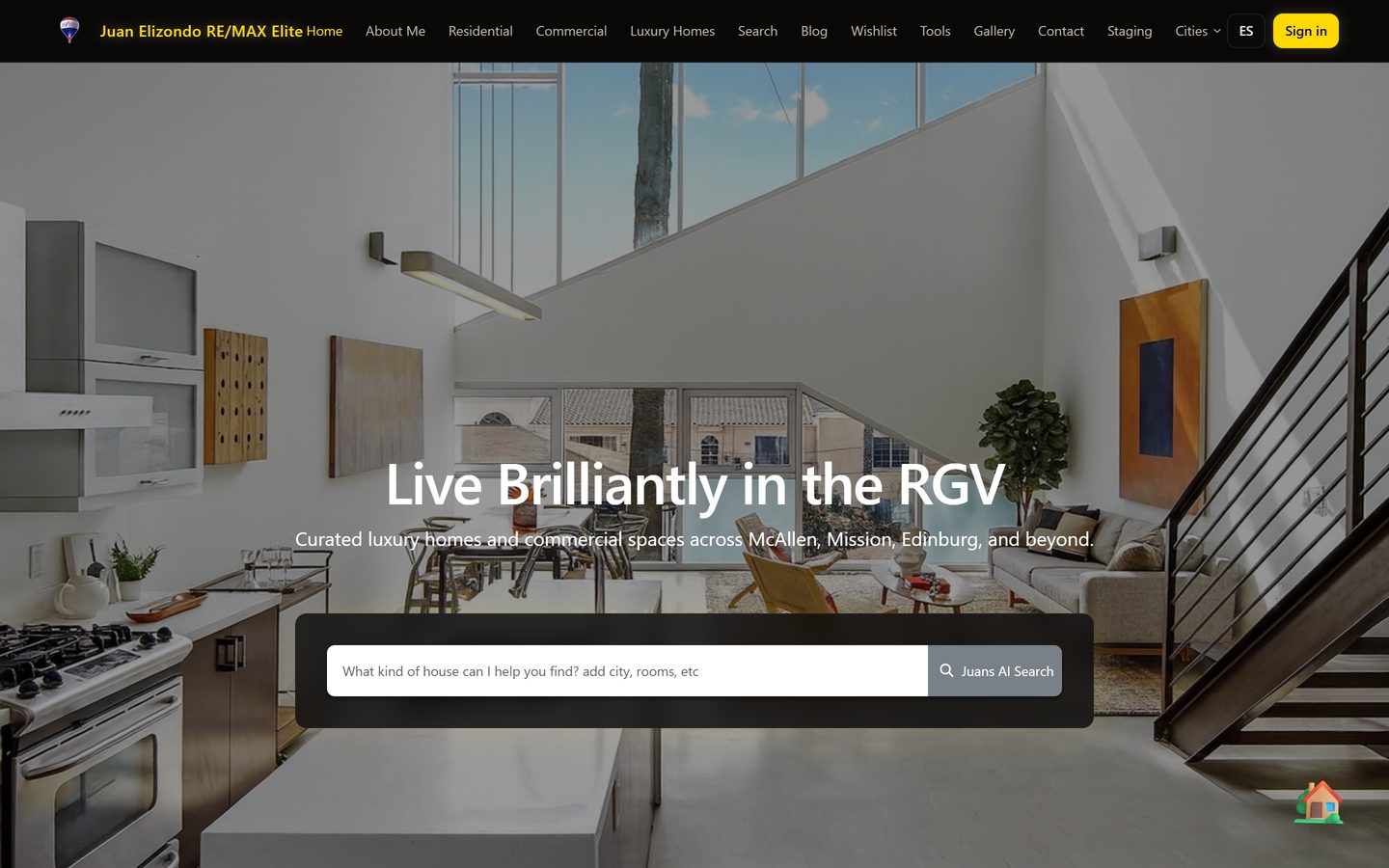
Live on real client sites — including a bilingual concierge for a RE/MAX agent. Talk to Dalia live →
A new class of concierge — photoreal people, robots, and a real dog. Every one walks onto the page, looks your visitor in the eye, and talks back in a natural, real-time voice. One is live on a client site right now; the newest are coming online right here.
The bilingual real-estate asesora for Juan José Elizondo (RE/MAX). She greets Mexican buyers, walks them through industrial properties, and captures the lead — speaking in a natural Spanish voice.
Talk to Dalia live →The showcase concierge for PetBuddy itself — she walks onto the page, shows visitors exactly what a photoreal voice agent feels like, and answers questions about putting one on their own site. Speaking in a natural, real-time voice.
Put one on your site →The android concierge — a photoreal robot woman who proves the concierge doesn't have to be human. She greets visitors, walks the page, and answers in a real, natural voice; her first posting is a Texas auto dealership showroom.
Put one on your site →The concierge who shows the host can be a man in a sharp suit — a polished, photoreal human who walks onto the page, reads it, and guides your visitor hands-free in a real-time voice. His first posting is a Texas security & home-theater installer.
Put one on your site →The PET-BUDDY android — a sleek humanoid robot host for tech, SaaS, automotive, and modern brands. He walks onto the page, reads it, and guides your visitor hands-free in a real-time voice.
Put one on your site →A photoreal physician in a white coat — the perfect front door for clinics, dental, med-spa, and wellness practices. He greets patients, answers questions, and guides them to book, hands-free.
Put one on your site →A silver-haired senior executive in a navy suit — instant gravitas for law firms, finance, brokerages, and consultancies. He walks out, reads the page, and guides clients in a real-time voice.
Put one on your site →Mario's real chocolate chihuahua — a photoreal dog who trots onto the page, wags, and talks to your visitors in a real-time voice. Proof the concierge doesn't have to be human. She even suits up in a 🚀 astronaut outfit. Perfect for boutiques and pet-friendly brands.
Put one on your site →A friendly white-and-graphite robot host — approachable, modern, and built for tech, SaaS, and automotive brands. He rolls onto the page, reads it, and guides your visitor hands-free in a real-time voice.
Put one on your site →A playful robo-puppy with a bright screen face — all personality, no leash. He bounds onto the page, reads it, and helps your visitor hands-free in a real-time voice. Perfect for kids, gaming, and pet-friendly brands.
Put one on your site →A warm, approachable professional woman — a friendly human face for boutiques, salons, real estate, and service brands. She walks out, reads the page, and guides your visitors in a real-time voice.
Put one on your site →A friendly, professional man in a sharp button-down — an approachable human host for real estate, home services, dealerships, and Spanish-speaking markets. He walks out, reads the page, and guides your visitors in a real-time voice.
Put one on your site →A warm, polished professional in a crisp button-down — an approachable human host for tech, healthcare, finance, and consultancies. He walks out, reads the page, and guides your visitors in a real-time voice.
Put one on your site →A sharp, confident professional in a blazer — a polished human host for finance, real estate, law, and premium brands. He walks out, reads the page, and guides your visitors in a real-time voice.
Put one on your site →An elegant, poised professional woman — a refined human host for beauty, wellness, hospitality, and boutique brands. She walks out, reads the page, and guides your visitors in a real-time voice.
Put one on your site →A big, friendly gorilla with a gentle presence — a scroll-stopping mascot for gyms, sports, gaming, and bold brands. He lumbers onto the page, reads it, and helps your visitor hands-free in a real-time voice.
Put one on your site →WordPress, Shopify, Squarespace, Wix, Webflow, a custom build — your concierge installs the same way on all of them. One line of code. No theme rewrites. No developers needed.
 WordPress
✓
WordPress
✓
 Shopify
✓
Shopify
✓
 Squarespace
✓
Squarespace
✓
 Wix
✓
Wix
✓
 Webflow
✓
Webflow
✓
 Next.js
✓
Next.js
✓
 Custom HTML
✓
Custom HTML
✓
These are the 7 most popular — your concierge runs on 13+ platforms. If your site loads in a browser, it drops in: paste one <script> tag before </body> — that's it.
Install on my site → See all 13 platforms →Three things a chatbot can't do. Your concierge does all of them at once.
Talks back. Writes for you too.
Real-time, low-latency voice. Natural pacing. Fluent in English & Spanish — plus more. Click into any text field, speak, and your concierge transcribes — no typing required.
Sees what's on the page.
Knows your products, prices, hours — pulled live from your approved site content. Answers from your sources, and hands off to a human when it's unsure.
Takes action on the page.
Clicks buttons, fills in forms, scrolls, and navigates your site for the visitor — hands-free. External integrations (bookings, payments, CRMs) are on our roadmap.
Not a chatbot. A real-time, voice-first concierge that walks your visitors through your entire site, hands-free — and takes action on their behalf.
Real-time voice. Real conversational pacing. Fluent in English & Spanish (+30 more) — no robot voice, no awkward pauses.
Reads prices, hours, services and products live from your approved site content — and tells the visitor when a question needs a human.
The big one: it doesn't just answer — it walks visitors from page to page on its own, hands-free. They never touch the mouse; the concierge takes them there.
Add to cart. Open booking. Submit the form. Finishes flows instead of just chatting about them.
Types names, emails, phone numbers, special requests into the right input. Hands-free signup.
Click into any text field on the page. Speak. Your words appear — forms, search bars, comment boxes, anywhere you can type.
"Show me the rest." "Back to the top." "Scroll down to the menu." Hands-free page control.
Walks the visitor to your booking page, highlights the next step, and fills in their info. Direct calendar sync (Calendly, Google) is on our roadmap.
Finds the exact item, drops it in the cart, walks the visitor to checkout — all by voice.
Soon your concierge will act on your own accounts — with your permission. Tool connections are coming soon; we are building them now. Reads will happen automatically; anything that sends, books or charges will wait for your approval.
Tool connections are not live yet — we are building them now. Tell us which tools your business already runs on — booking, payments, texts, email, support, inventory — and we'll prioritize them first.
 Google Calendar
 Gmail
Gmail
 Stripe
 Twilio · SMS
 Slack
Shopify
Slack
Shopify
 Calendly
 HubSpot
 Mailchimp
 QuickBooks
 Notion
 Zoom
Zoom
 WhatsApp
 Discord
 MS Teams
 Airtable
 Google Maps
Booking a job, sending a quote, looking up a customer, updating a spreadsheet, paging a tech — tell us what you need, and we'll prioritize it on the roadmap.
No theory. Here's exactly what happens when a visitor talks to your concierge — on the businesses where one recovered lead pays for months of software.
It's 9pm and your team is home. A visitor asks about pricing. Your concierge answers from your service page, checks your coverage area, walks them to booking, and captures their contact so you follow up first thing.
A buyer lands on a listing. Your concierge answers in English or Spanish from your live pages, matches them to the right property, walks them to your calendar, and captures the lead so it never goes cold.
"Show me a blue one, medium." Your concierge finds it on your page, highlights it, adds it to the cart, and walks them to your checkout page — all by voice.
captured, with contact info
started & walked to your calendar
after-hours coverage
what visitors asked, on your dashboard
Built first for the businesses where one recovered lead pays for months — home services, real estate, professional services and clinics. Great for retail and restaurants too.
HVAC, plumbing, roofing, electrical, security. Quotes from your page, checks your coverage area, opens your booking page, fills in their info, and captures the lead — even after hours.
Agents, brokers, law, finance, consultants. Answers in English or Spanish from your live pages, matches the visitor to the right property or service, and books the consultation while intent is hot.
Answers hours, services, insurance and prep questions from your approved content, walks the patient to your booking page, and hands off to your front desk when a human is needed.
"Show me a blue one in a medium." Finds the exact product on your page, highlights it, drops it in the cart, and walks the visitor to checkout — all by voice.
A concierge that acts on your site has to be trustworthy. Pet Buddy is built so you stay in control.
It speaks from your live site content and the knowledge you approve — not the open internet.
Anything that books, sends or charges waits for a confirmation — reads happen automatically, writes wait for approval.
When a question is beyond its sources, it says so and routes the visitor to a human instead of guessing.
Your dashboard shows what visitors asked, what got answered, and where you lost a lead — real growth insight.
Pet Buddy turns every conversation into an owner dashboard — the questions people asked, the leads it captured, and where you're losing business. This is the growth insight a chatbot can't give you.
Illustrative dashboard. Your real numbers and questions appear as visitors talk to your concierge.
We crawl your site automatically. Pages, products, prices, hours — all picked up in under 5 minutes.
Choose the character that greets your visitors. Choco, Axel, Bolt, or one of our photoreal live agents — or a custom design on Premium.
Copy the snippet, paste it on your site before </body>. Done.
Pet Buddy comes in two flavors. The one your customers talk to — and the one YOU talk to.
The voice, eyes, and legs for your website — it talks to your visitors and walks them through your whole site so you don't have to.
Concierge $89.99/mo · Pro, multi-location $179.99/mo · Business from $499/mo. Month-to-month, cancel anytime.
The website that runs itself. Ask it out loud — it builds your pages and blogs, publishes on your approval, and tracks your rankings every night.
Watchtower $99 · Webmaster $249 · Growth $449 — month-to-month, founding clients onboarded by hand.
See the AI Webmaster →Everything above assumes you already have a site to put a concierge on. If you don't — or the one you have is the problem — we build your first four to six pages, and the concierge is already inside it the day it goes live.
Choose your platform for exact, step-by-step instructions. Every guide was verified against the latest UI so clients never run into dead ends.
Optional & advanced. Most businesses just pick a ready-made mascot when they deploy. But if you want a one-of-a-kind concierge, drop in any face, answer a few questions, and we'll hatch a full 8×9 animated sprite sheet for your Pet Buddy instance.
First, choose the kind of pet you want. Then upload the photo we lock identity to — every animation frame is hand-built from it. Your photo is AI-validated before any generation starts, so bad inputs are caught early. Pick the cleanest reference you have. JPG, PNG, or WebP. Up to 10 MB.
Not sure? Caricature is the classic Pet Buddy look.
Short, friendly, and memorable. This is the display name and the package folder slug.
Your "pet" can be anything — a person, a mascot, a character, an animal. We just need one sentence of personality. This is what visitors will read on the picker.
Stable physical description we'll honor on every animation row: body type, hair / fur / feathers, colors, signature props, accessories. Don't worry about pose or motion — just identity.
Examples: "small chibi human mascot, light blond hair, white baseball cap, blue suit" · "chubby orange tabby cat, green eyes, white belly, tiny bow tie" · "mecha-style robot, brushed steel finish, glowing cyan visor".
Optional. Identity-lock constraints we'll repeat on every row — a signature prop, a logo, a color combination, a marking. Leave blank if nothing special.
Confirm the inputs. Your pet is hand-built frame by frame, so this takes about 5–8 minutes — but the result looks crafted, not auto-generated.
First we enhance your photo (background removal → face crop → 4K upscale), then we hand-draw all 73 animation frames and assemble the sprite sheet. This takes about 5–8 minutes; leave this tab open and we'll move you forward automatically.
Uploading your reference photo…
Animated preview — pick a row to watch. Download the sprite sheet and pet.json, then drop both into ~/.codex/pets/<your-pet>/ or any Pet Buddy instance.
The concierge is one line of code. These are the bigger projects: a full website built for you end to end, and a faster app builder we're putting the finishing touches on.
A real website, built for you from the first blank page to launch — copy, design, code, the works. Six client sites live and counting.
Call, chat, or a quick form — scoped the same week.
Drafts in days, not months. You see every page before it ships.
Domain, code, and keys handed over at launch.
The lighter, faster sibling. Describe a mini app and get a working one — no agency, no months of waiting.
Private beta opens to waiting list members first.
Join the beta list →Turn more website visits into completed next steps — one snippet away. Plans from $89.99/mo, month-to-month. Founding clients get a special rate — the waiting list is open now.
Join the founding waiting list →