How to Book Service Drive Maintenance From a Dealership Website
Learn how to let visitors book service drive maintenance directly from your dealership website, capture more appointments, and reduce missed leads.

To book service drive maintenance from a dealership website, add a conversational concierge that lets visitors schedule oil changes, tire rotations, or recalls in real time without picking up the phone — and captures every request in English or Spanish, day or night.
Why Should a Dealership Website Let Visitors Book Service Directly?
Most dealership websites are digital brochures. A visitor lands, looks at inventory, maybe fills a form — then leaves. The service drive is a different animal. Customers come back every few months for maintenance, and they expect to book instantly. If your site makes them call or wait for a callback, you lose appointments to the shop down the street that answers at 9 PM. A concierge that books directly on the page keeps those appointments in your bay.
What Does a Service Booking Concierge Do on a Dealership Website?
A visitor arrives on your service page. Instead of a static phone number, they see a chat that greets them in plain English or Spanish. They type: “I need an oil change for a 2022 F-150 this Saturday morning. ” The concierge asks for the mileage, preferred time, and contact info — then books the slot into your calendar. No form, no hold music, no missed call. If the visitor wants to talk to a human, the concierge hands off with the details already collected.

What Happens After a Visitor Books?
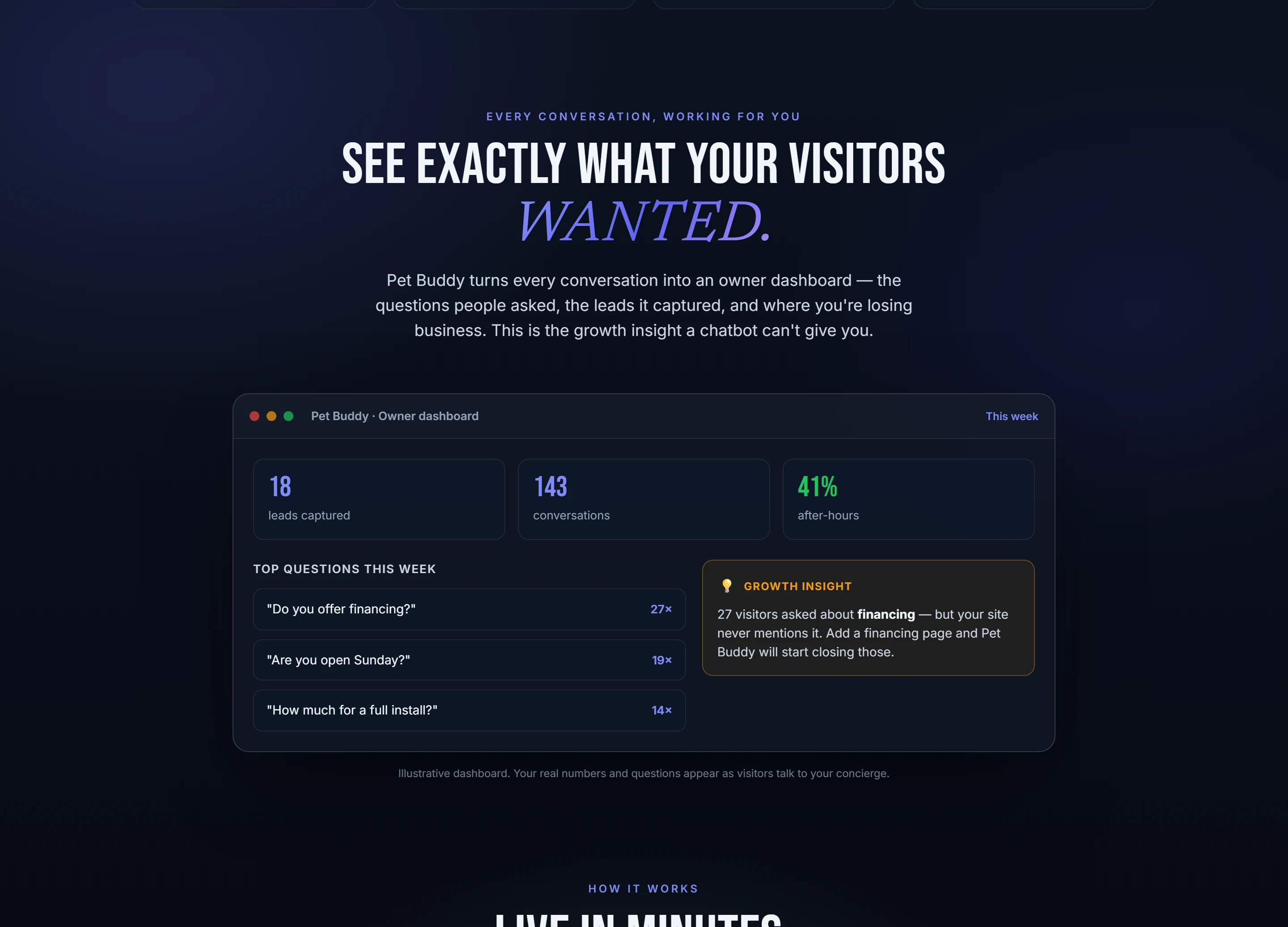
The booking lands in your service drive system. The visitor gets a confirmation text or email. On your end, the Pet Buddy dashboard shows every conversation — what was requested, when, and whether it resulted in a booked appointment or a handoff. If a visitor asked about a brake job at 11 PM and never booked, you see that lead and can follow up the next morning. No more wondering who slipped through.
How Does the Concierge Handle Common Service Requests?
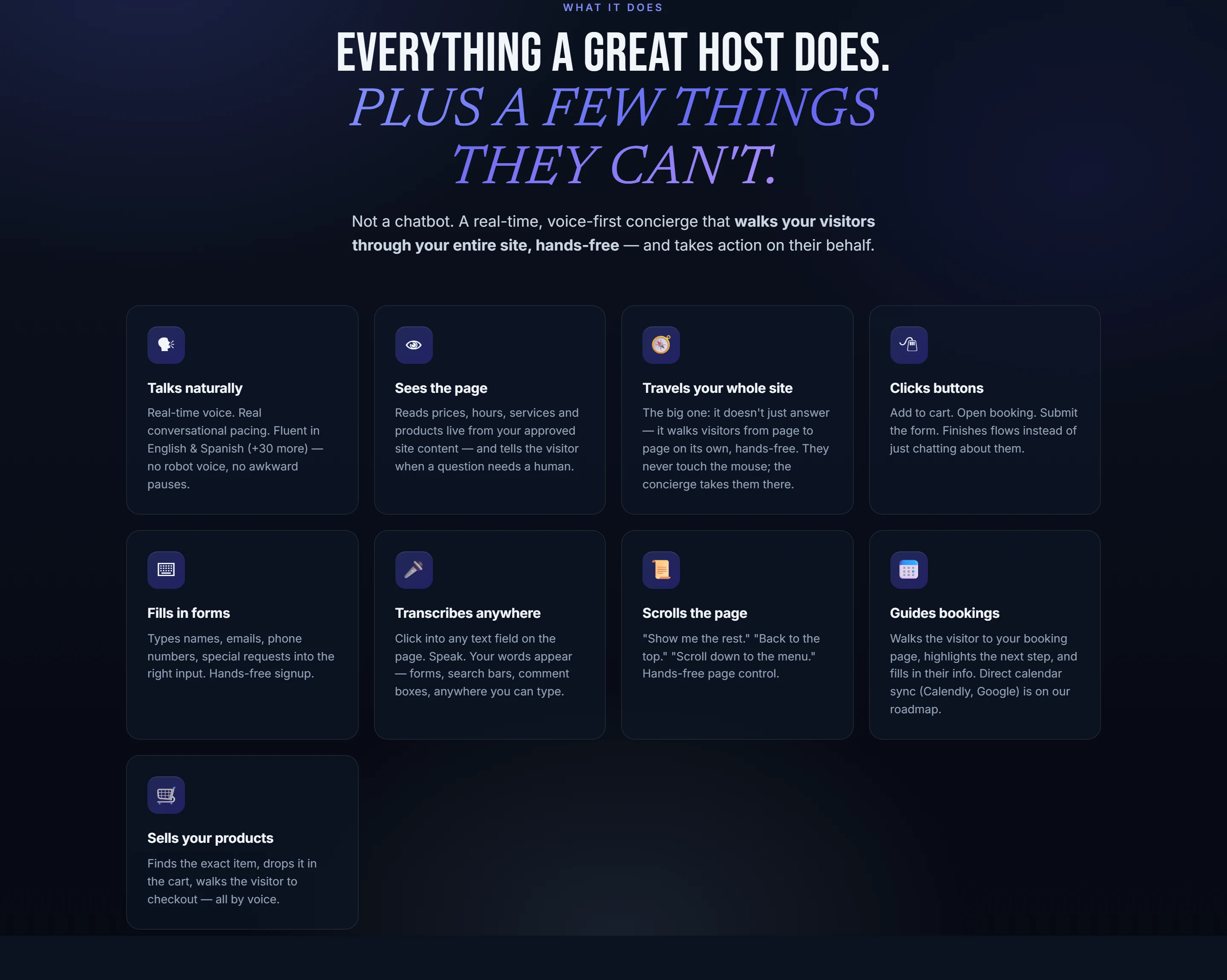
The concierge is built to recognize the language of service drives: oil change, tire rotation, alignment, recall check, transmission flush, brake pads, A/C recharge, state inspection. A visitor can say “check engine light” and the concierge asks the right follow-ups — make, model, year, symptoms — then books a diagnostic slot. If the request is complex, it flags the conversation for a human service advisor to take over.
A visitor books an oil change at 10 PM on a Sunday. Monday morning, the service bay has a confirmed slot and the customer gets a reminder.
What If a Visitor Needs to Speak to a Person?
Some visitors want to talk to a real service advisor — especially for warranty work, major repairs, or pricing questions. The concierge handles the handoff smoothly. It passes the conversation history to the human, so the visitor doesn’t repeat themselves. The advisor picks up knowing the customer’s vehicle, the issue, and the preferred time. That saves minutes per call and keeps the interaction professional.
Steps to Enable Service Booking on Your Dealership Website
- Add the Pet Buddy script to your site — one line, no developer needed
- Configure the concierge to recognize service drive requests
- Connect your calendar or scheduling system
- Set handoff rules for complex requests or human transfer
- Review the dashboard daily to catch unbooked leads
How Does the Dashboard Help Manage Service Appointments?
The dashboard is the owner’s view of what every visitor actually wanted. You see a list of conversations: “2023 Honda Civic — oil change — booked,” “2021 Ram 1500 — brake inspection — not booked, requested callback,” “2020 Toyota Camry — recall check — handed off to advisor. ” You can spot patterns: if every Tuesday night three people ask about tire rotations and none book, maybe you need a promotion or faster availability. The dashboard shows where revenue leaks, not just where it flows.
Common questions
Can the concierge book multiple service types at once?
Yes. A visitor can request an oil change and a tire rotation in the same conversation. The concierge books both into the appropriate time slots and confirms the combined appointment.
Does the concierge work for both new and used vehicle service?
It handles any service request regardless of vehicle age. The concierge asks for the VIN or make and model to ensure the right parts and labor are scheduled.
What if a visitor wants to cancel or reschedule?
The concierge can handle cancellations and reschedules by verifying the visitor’s identity and updating the calendar. If the policy requires a human, it hands off with the details.
Does the concierge support Spanish-speaking visitors?
Yes. The concierge greets and books in both English and Spanish, switching automatically based on the visitor’s language.
What Does the Visitor Experience Look Like?
A visitor lands on the service page. A small chat prompt appears: “Need to schedule maintenance? Tell me your vehicle and what you need. ” They type: “2019 Ford Explorer, 45,000 miles, oil change and tire rotation. ” The concierge replies: “Great. We have Saturday at 9 AM or 11 AM. Which works? ” The visitor picks a time, enters their phone number, and gets a confirmation. The whole thing takes under a minute. No forms, no phone tag, no missed opportunities.

How Does This Fit Into a Dealership’s Existing Workflow?
The concierge is a layer on top of your current scheduling system. It doesn’t replace your service advisors or your DMS. It captures requests from the website and feeds them into your existing process — either as a calendar entry, a CRM lead, or a notification to the service desk. The dashboard gives you a second look at every visitor who didn’t convert, so you can decide whether to call them back or adjust your availability.

What About Visitors Who Don’t Know What They Need?
Some visitors just say “my car is making a noise” or “the light came on. ” The concierge asks guided questions: “What kind of noise? When does it happen? Any warning lights? ” Based on the answers, it suggests the likely service category and books a diagnostic appointment. If the issue is unclear, it flags the conversation for a human advisor to review before the appointment. The visitor gets a slot, and the service team gets context before the car arrives.

Give your website a voice
Pet Buddy greets every visitor, answers in English or Spanish, and books the next step - live in minutes.
See it live